Librarium logo

Librarium

Early beta

Catalog your shelves.
On your own server.

A self-hosted, privacy-focused tracker for physical books, manga, comics, and technical documents. One instance, many libraries. Opt-in telemetry, off by default.

Heads up: Librarium is in early beta. Things are changing fast, some edges are rough, and self-hosters should expect to read release notes before upgrading.

Built for collectors who run their own stack.

Self-hosted

Runs on your infrastructure in Docker or Kubernetes. Telemetry is opt-in and off by default. No external data calls unless you ask for a metadata lookup.

Multi-library, multi-user

A single instance hosts independent libraries (shared household, personal collection, tech manuals) with per-library roles.

Print-first catalog

FRBR-style work/edition model tracks physical books, manga, comics, magazines, and technical documents without schema gymnastics.

Bring your own AI

Opt-in reading suggestions backed by Ollama, Osaurus, OpenAI, or Anthropic. Pick your provider and model. Run locally or ship it to the cloud, your call.

Scheduled work, observable

Cover backfills, metadata refreshes, and AI runs all live on a single cron-driven jobs page. Run on demand, inspect history, or let it tick quietly.

Bring your own storage

For ebooks and PDFs, Librarium stores a path reference. Your files stay where you put them.

Cross-platform

Go API, React web UI, and a native SwiftUI iOS app (TestFlight today, App Store soon).

Barcode scanning

Scan an ISBN at the bookstore from the iOS app. Instantly see if you already own it, or add it to any of your libraries.

Open source

AGPL 3.0. Ship patches, file issues, or fork it. Each client lives in its own repo and ships on its own cadence.

Editions

Two ways to run Librarium.

Both are free. Self-hosted ships today; Lite for iOS is next. Don't want to run a server? A cloud host will run the same containers for a few dollars a month, and deploy templates to make that a shorter job are on the way.

Lite

Coming soon

Free

Local storage with iCloud sync across your Apple devices, no server to run. The iOS app is on TestFlight today; Lite mode is shipping soon.

  • Works offline, syncs when online
  • Same data model as the server
  • ISBN lookup via Open Library
  • Point it at your own server any time
Try the iOS app

Self-hosted

Available

Free

Run it on your own server in Docker or Kubernetes. Your data stays on your network.

  • Full feature set, no caps
  • Multi-user with per-library roles
  • AI suggestions, MCP server
  • Opt-in telemetry, off by default
Deploy it

Compared

Pick the tool that fits your shelf.

A quick sanity check for readers weighing the options. An asterisk means the item is on the Librarium roadmap, not shipped yet.

FeatureLibrariumCalibreReadarrBookwyrm
Self-hosted✓✓✓✓
Multi-user with per-library roles✓BasicNo✓
Print-first catalog (physical books, manga, comics)✓Ebook-firstEbook-first✓
Native iOS app with barcode scanning◐TestFlightNoNoNo
REST / OpenAPI✓Limited✓✓
AI suggestions (Ollama / Osaurus / OpenAI / Anthropic)✓NoNoNo
Scheduled-jobs dashboard✓No✓No
Track books lent to friends and family◐NoNoNo
Goodreads / Libib / StoryGraph CSV import✓*NoNo✓
Shared reading feed / activity✓*household onlyNoNo✓federated
Automated ebook acquisition✓*No✓No
Open source✓AGPL 3.0✓GPL✓GPL✓AGPL

◐ Partially shipped.* Planned roadmap item, not shipped yet. Comparisons reflect each project's upstream as of 26.4.

FAQ

Frequently asked questions.

Is Librarium a self-hosted alternative to Goodreads?
Yes. Librarium runs on your own hardware (Docker or Kubernetes), keeps your reading data on your server, and has no ads, no parent-company tracking, and no vendor lock-in. The closest fit if you want a Goodreads or StoryGraph experience without sending everything to a cloud service.
How is Librarium different from Calibre or Readarr?
Calibre and Readarr are ebook-first — they exist to manage downloaded files. Librarium is print-first: it catalogs the physical book, manga, comic, or magazine on your shelf using a work/edition data model (FRBR-style), and treats ebook or audiobook files as optional references hanging off an edition. If your shelves are mostly physical, Librarium fits the way you already think about a collection.
Does Librarium have a mobile app?
Yes — a native SwiftUI iOS app, currently in TestFlight with the App Store release coming next. The iOS app includes barcode scanning so you can add books straight from a bookstore shelf. There is no Android client today, and no committed plan to build one.
Is Librarium free?
Yes. Self-hosted Librarium is free and AGPL 3.0 licensed, and it ships today. Lite for iOS will also be free, and it is next up. There is no paid tier, and nothing is held back for one. You run it, you own the data. If you would rather not run a server yourself, a cloud host like Railway will run the same containers for a few dollars a month; that is between you and them, not us.
Does Librarium send my data anywhere?
Telemetry is opt-in and off by default. Self-hosted instances require an operator flag plus per-user consent before anything leaves the box, and the code that does the sending lives in the public repos. The only other outbound network calls are metadata lookups you actively trigger, like ISBN scans and cover backfills. You choose which providers to enable. Optional AI reading suggestions are off by default and use either your local Ollama instance or your own OpenAI or Anthropic API keys.
Can I import my Goodreads, StoryGraph, or Libib library?
CSV import from Goodreads, StoryGraph, and Libib is on deck; see the roadmap. Once shipped, you drop in the export from any of those services and Librarium will hydrate the catalog with metadata and covers from your configured providers.

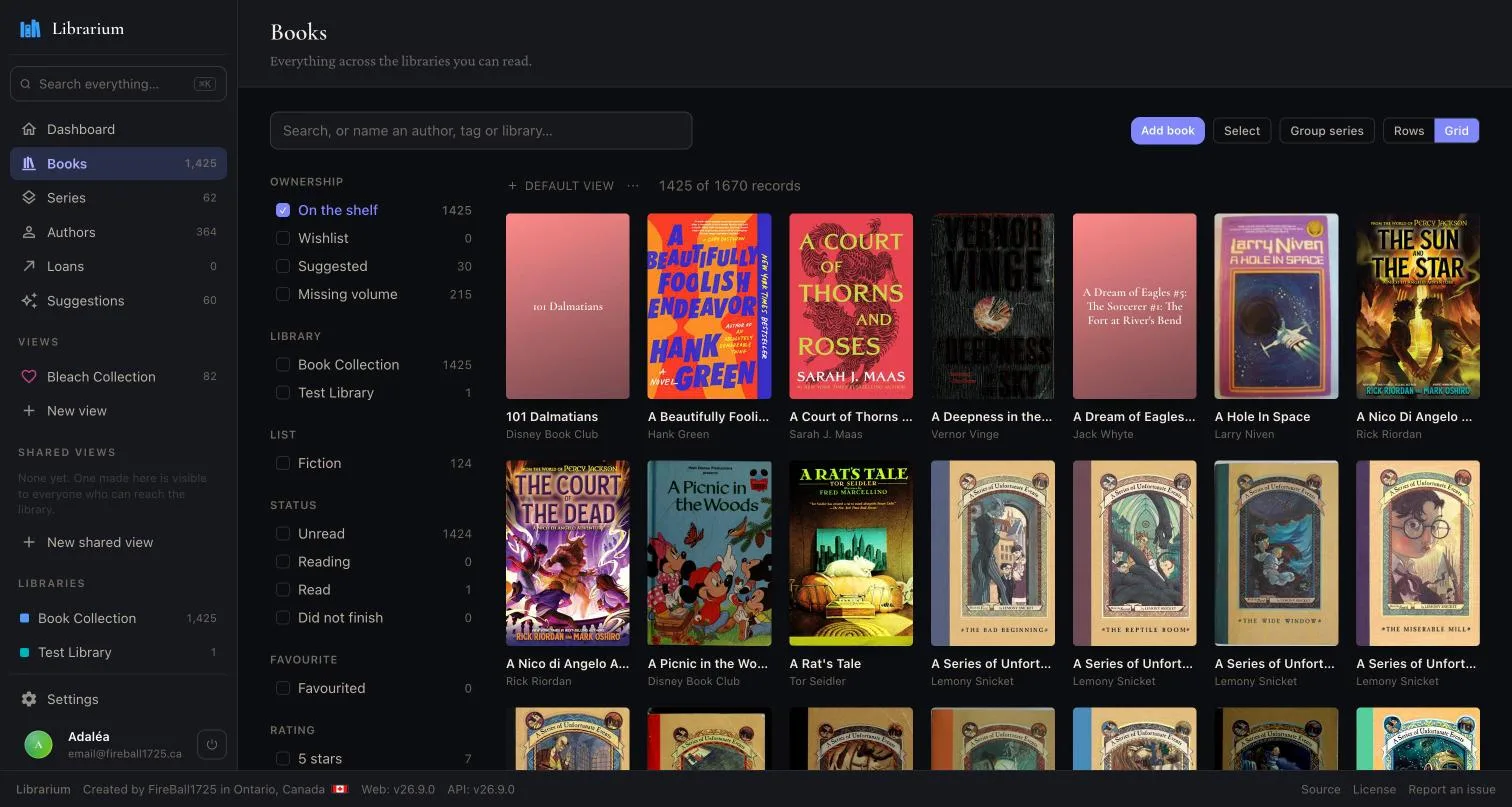
Web

Browse, search, and curate from any browser.

The book catalog as a cover grid, with filters for ownership, library, read status and rating

Browse by cover

Narrow by shelf, library, list, read status or rating without leaving the grid.

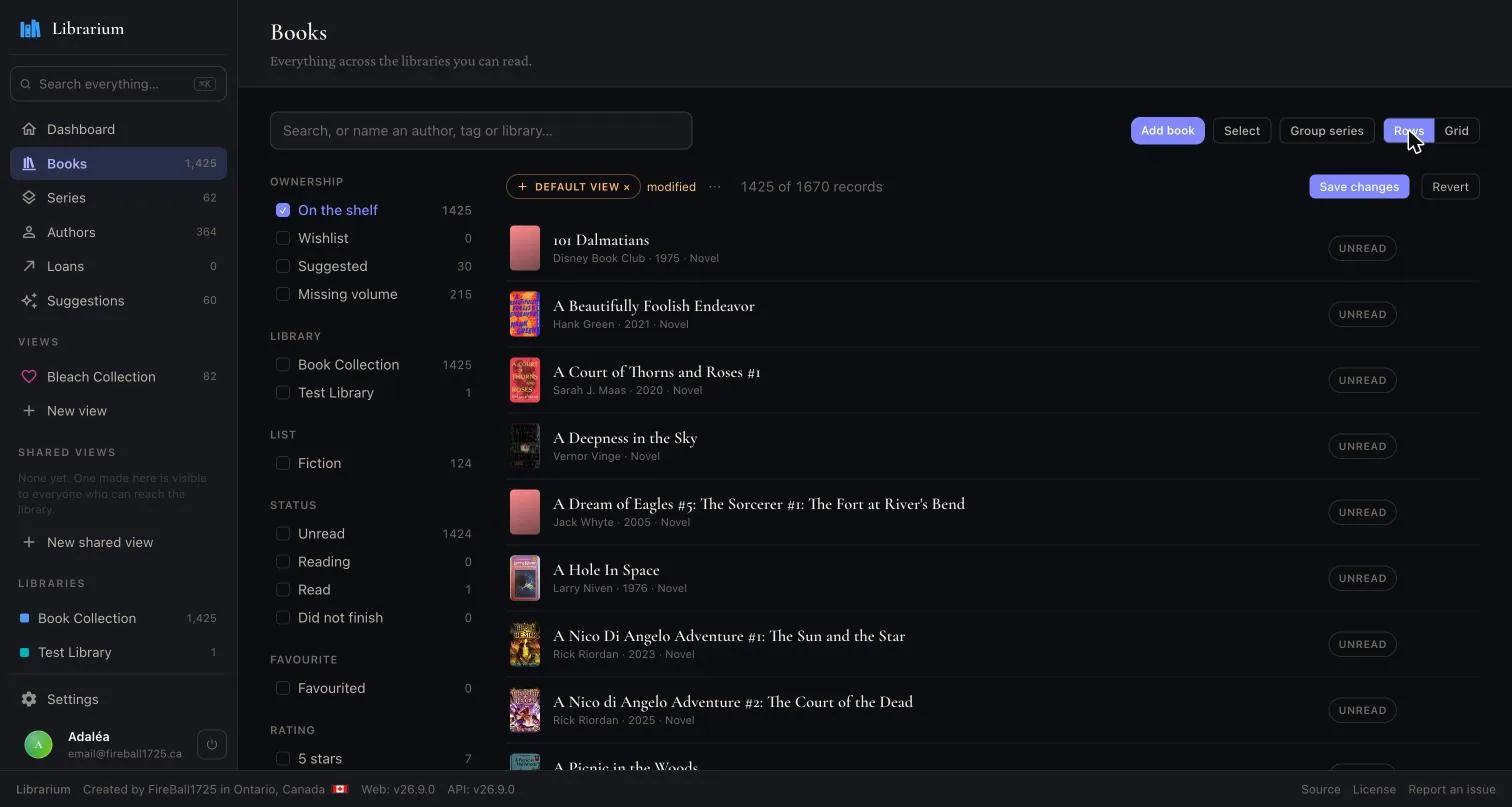
The same catalog as a dense list, showing year, format and read status per row

Or by row

The same filters against a dense list, for when you want dates and formats at a glance.

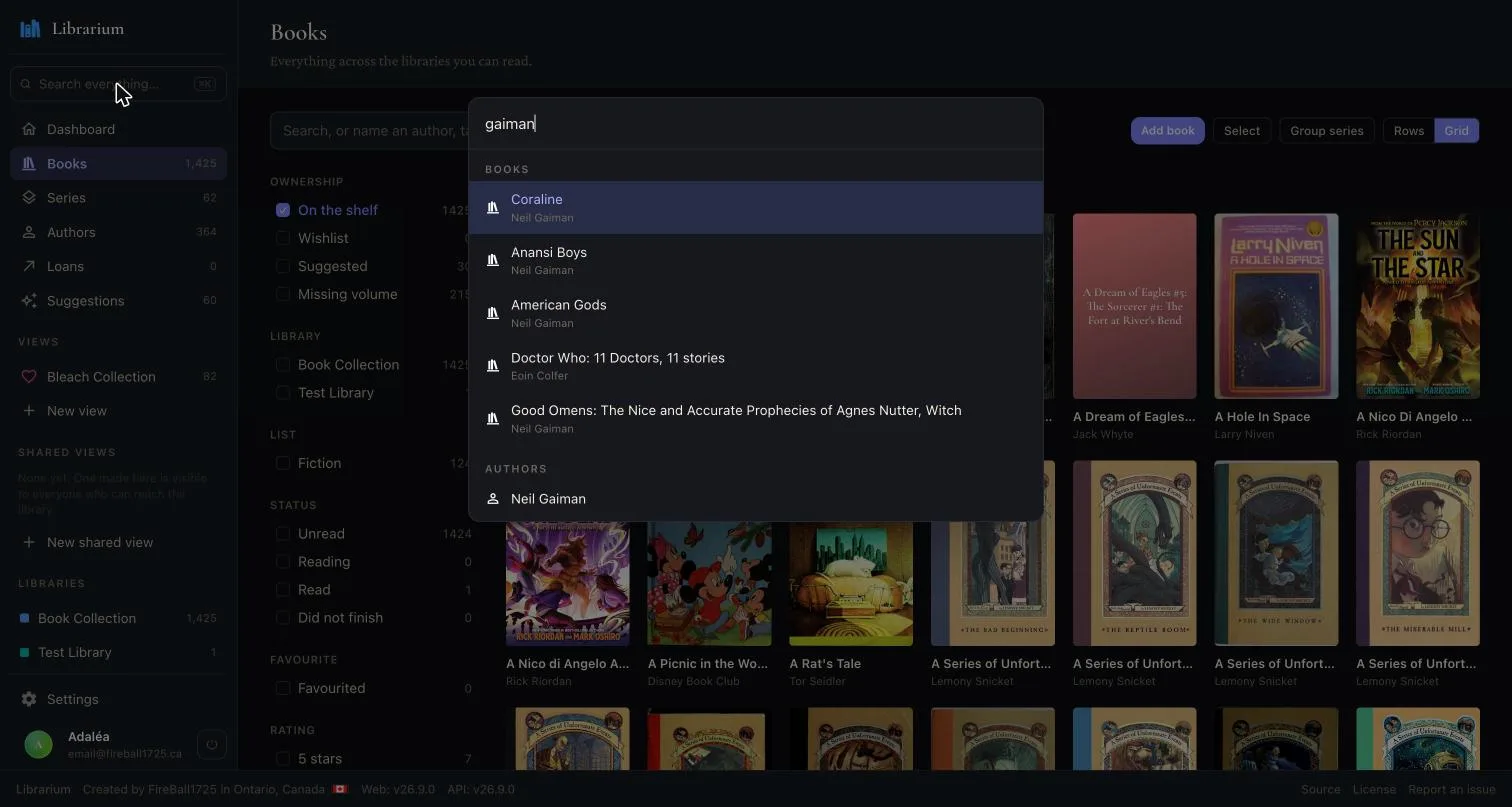
Searching the whole instance from one box, with books and authors in the same result list

One search box

Books and the people who made them come back together, from anywhere in the app.

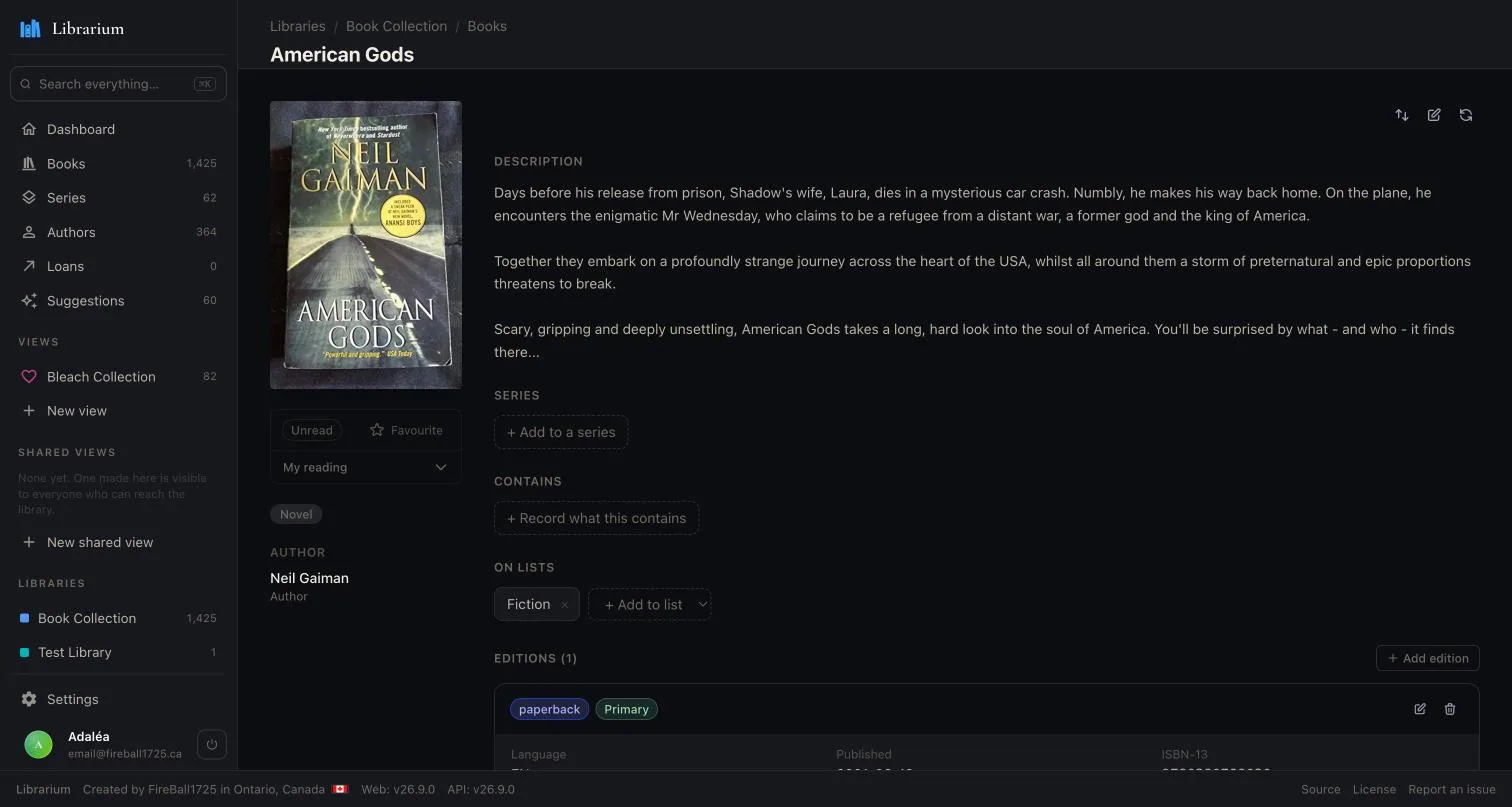
A single book with its cover, description, author, reading status and the lists it belongs to

The book itself

Description, contributors, reading status, and the lists it sits on.

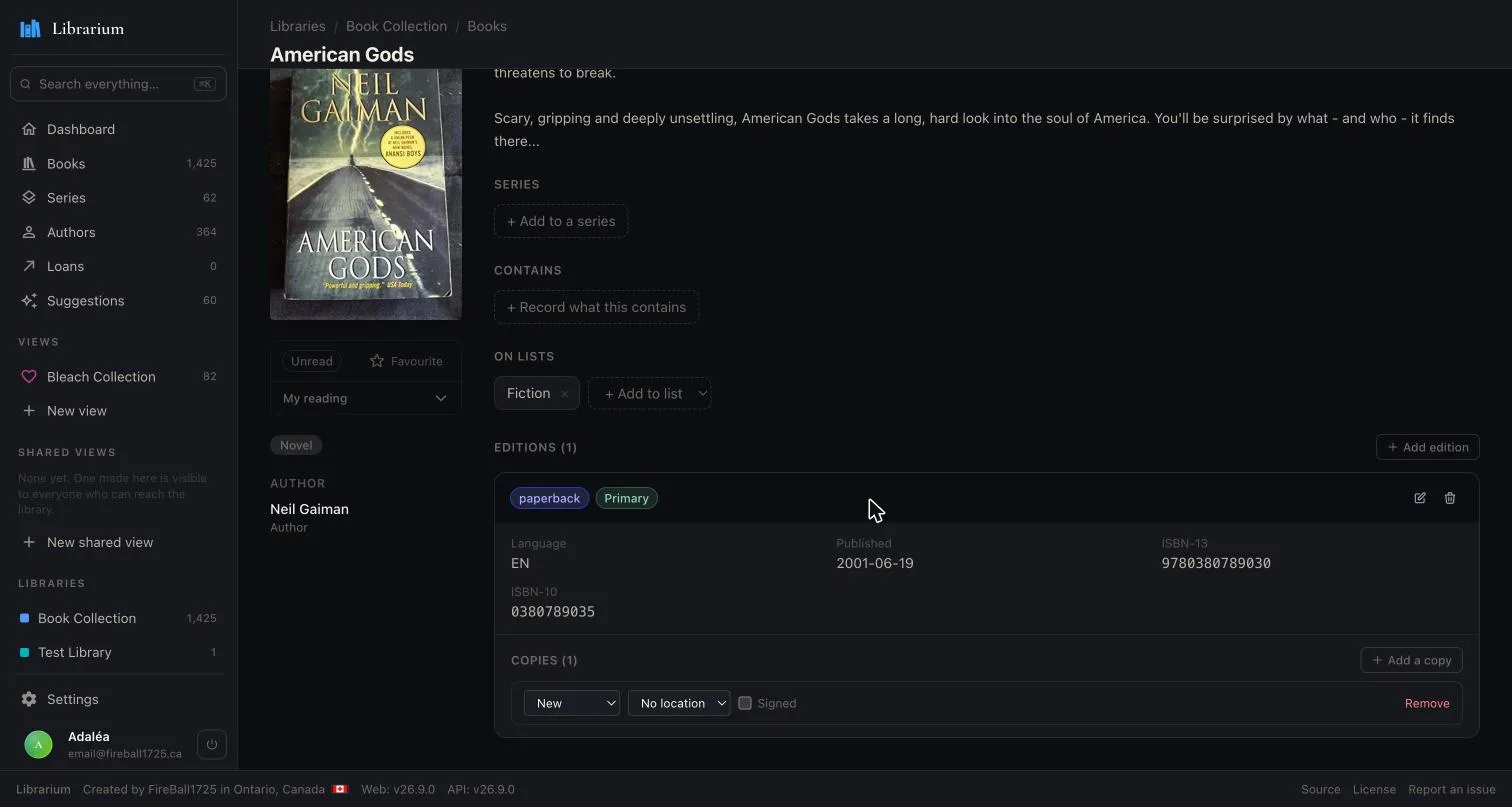
One book expanded into its editions and physical copies, with ISBNs, format and condition

Work, edition, copy

A hardback and a paperback are two editions of one book, and every copy tracks its own condition.

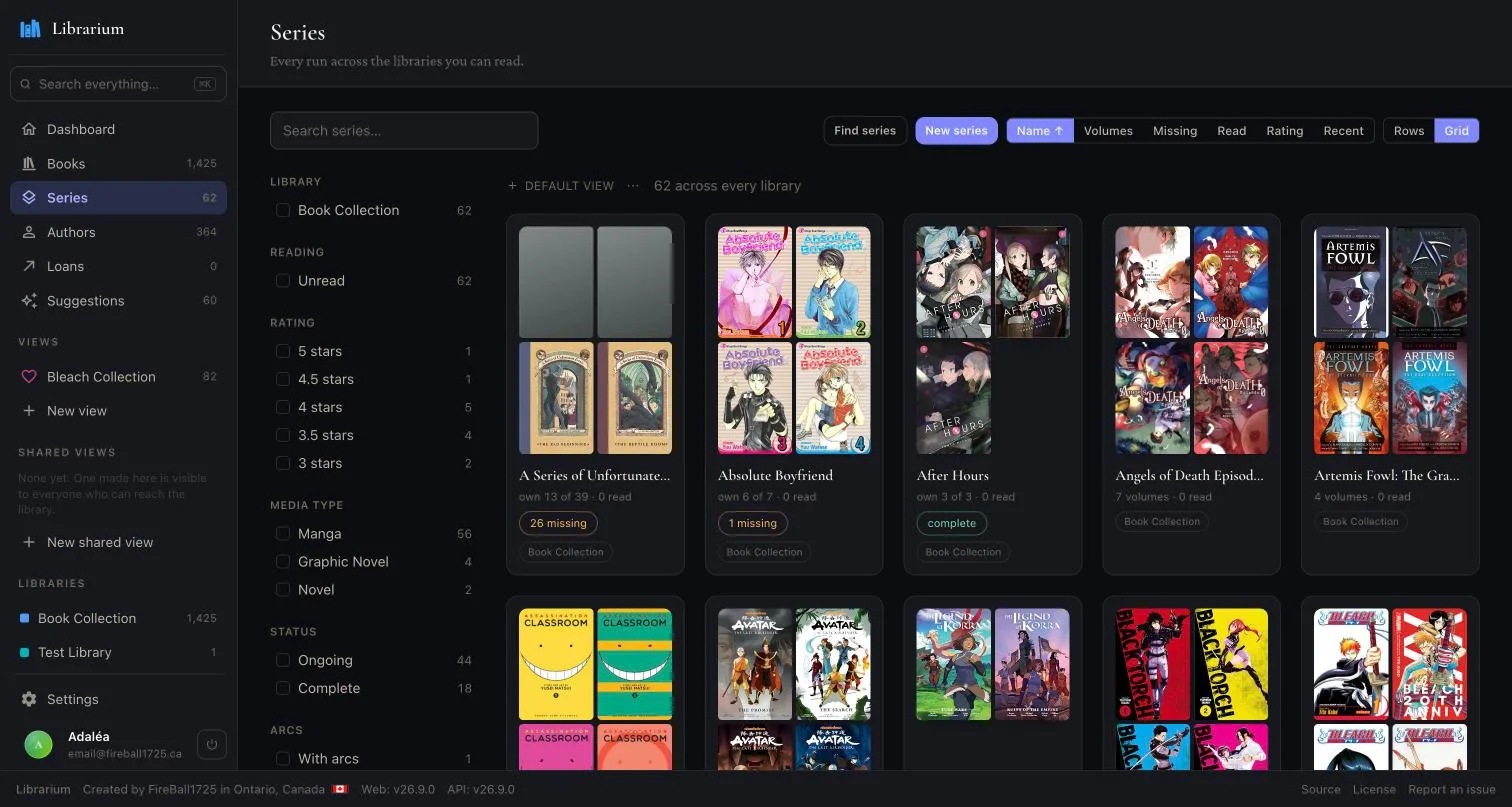
Series cards showing how many volumes of each run are owned, and how many are missing

Series at a glance

Each run shows how much of it is on your shelf, and how much is not.

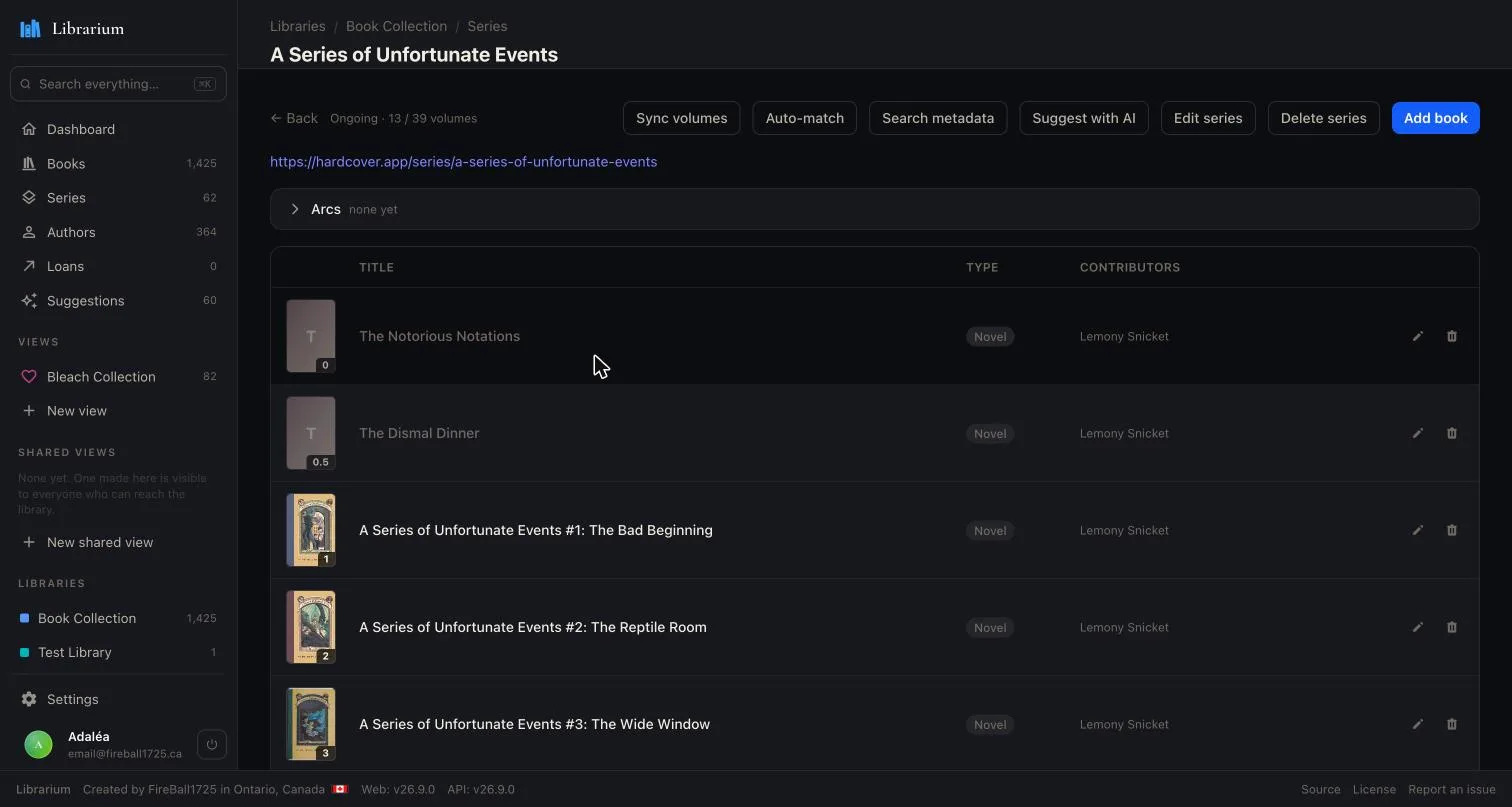
A single series with its volumes numbered in order, owned ones sharp and missing ones greyed out

Down to the volume

Volumes in order with the gaps greyed out, so you know what to hunt for.

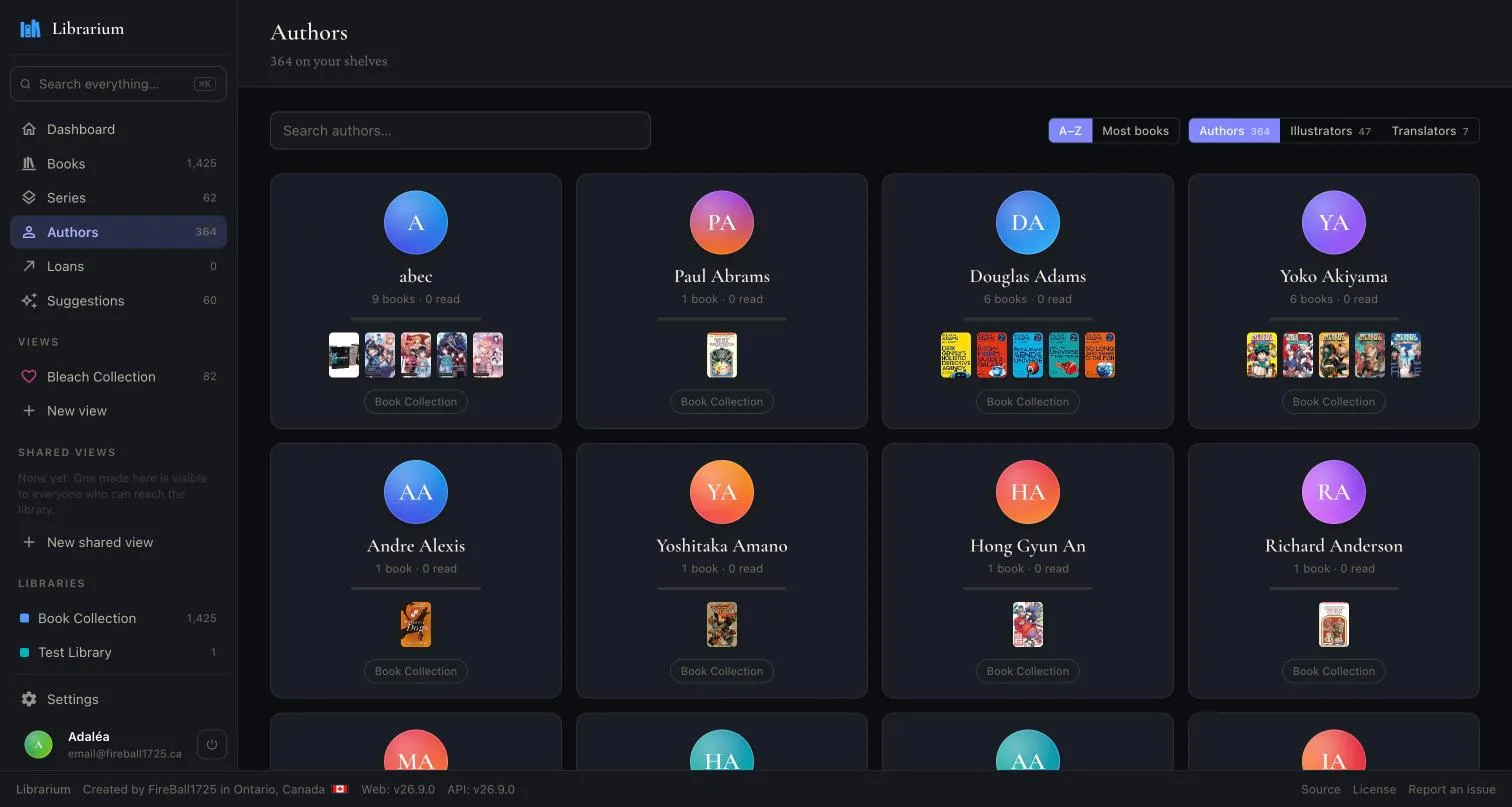
Contributors across the shelves, each with a book count and covers, split by author, illustrator and translator

Everyone who worked on it

Authors, illustrators and translators are tracked apart, not flattened into one credit.

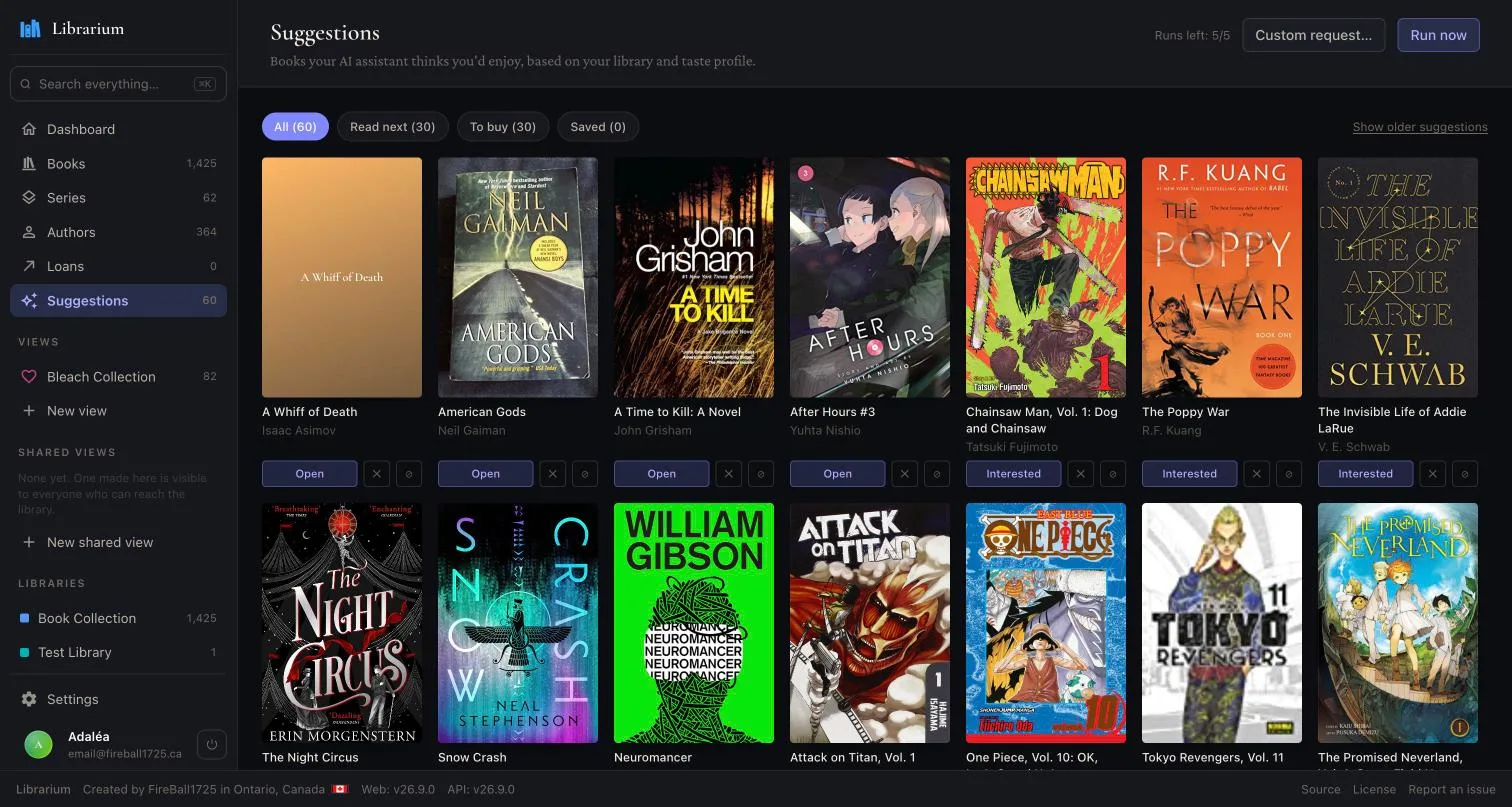
AI book recommendations split into what to read next and what to buy

Suggestions, if you want them

Off by default. Runs against your own Ollama instance or your own OpenAI or Anthropic key.

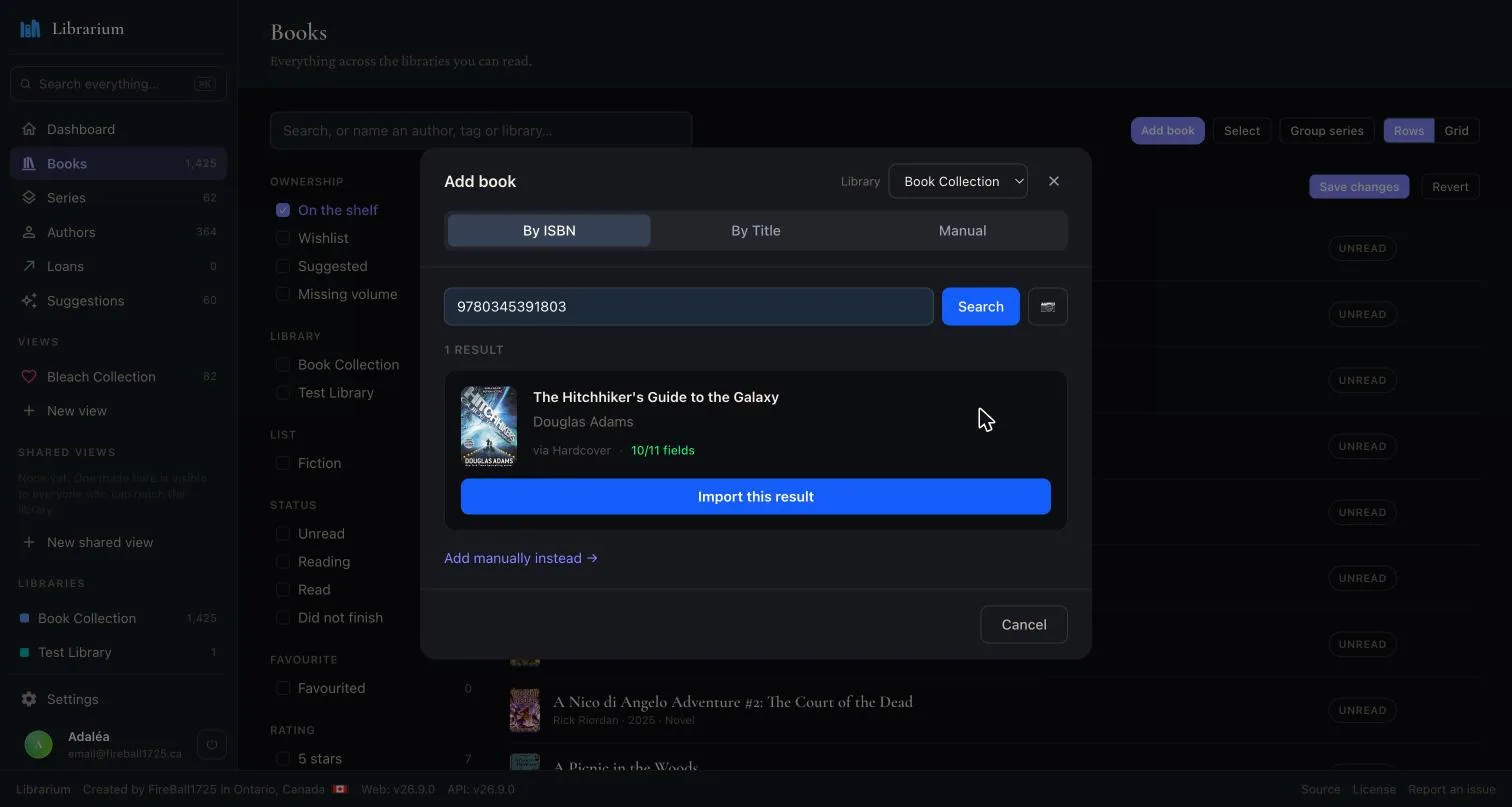
Adding a book by ISBN, showing the matched result and how many fields the provider filled

Add by ISBN

Providers fill what they can, and tell you how much of the record they filled.

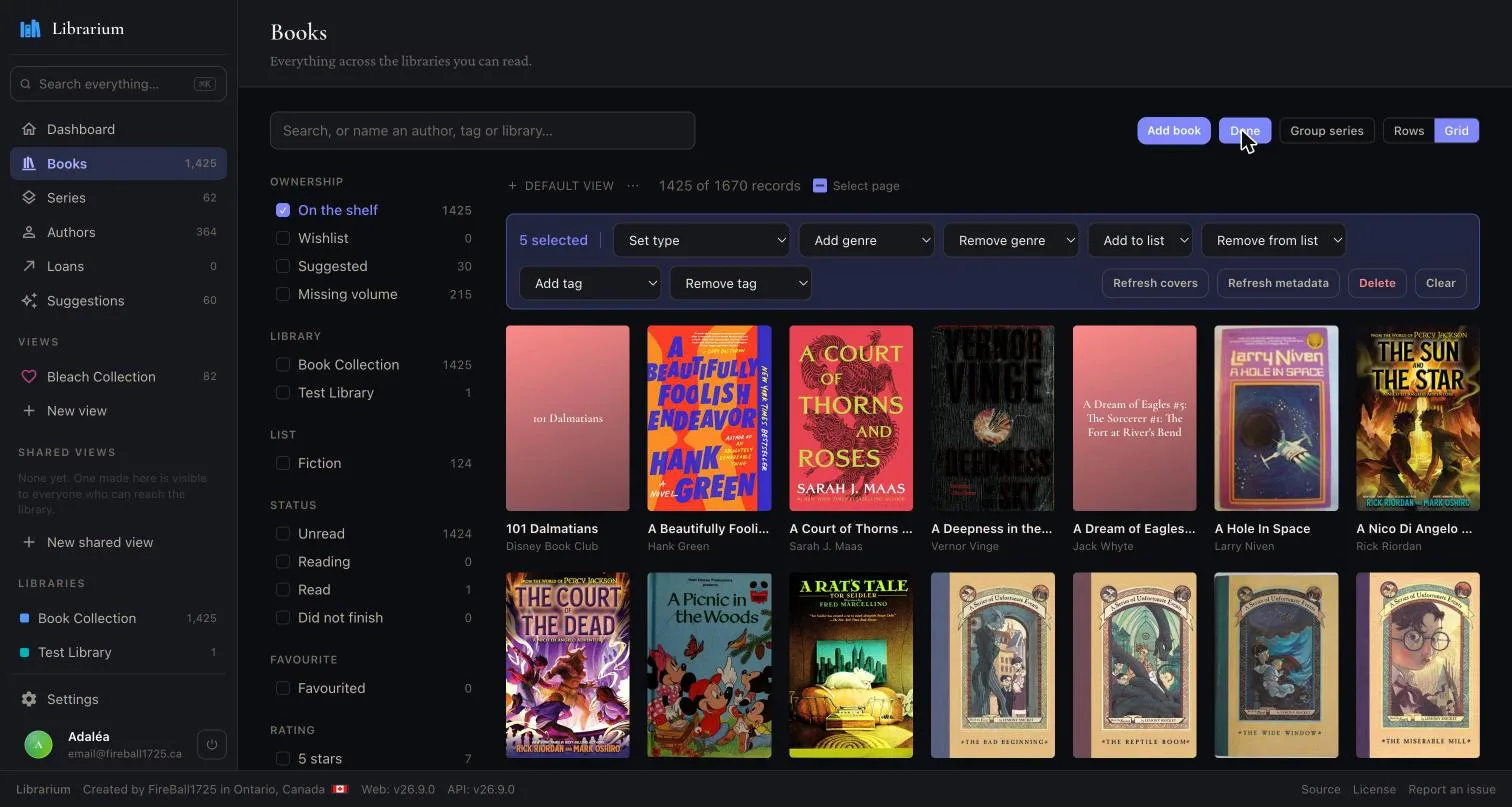
Several books selected at once, with actions to set type, genre, tags, lists and refresh their metadata

Fix many at once

Select a range, then set type, genres, tags or lists, or send them all back for fresh metadata.

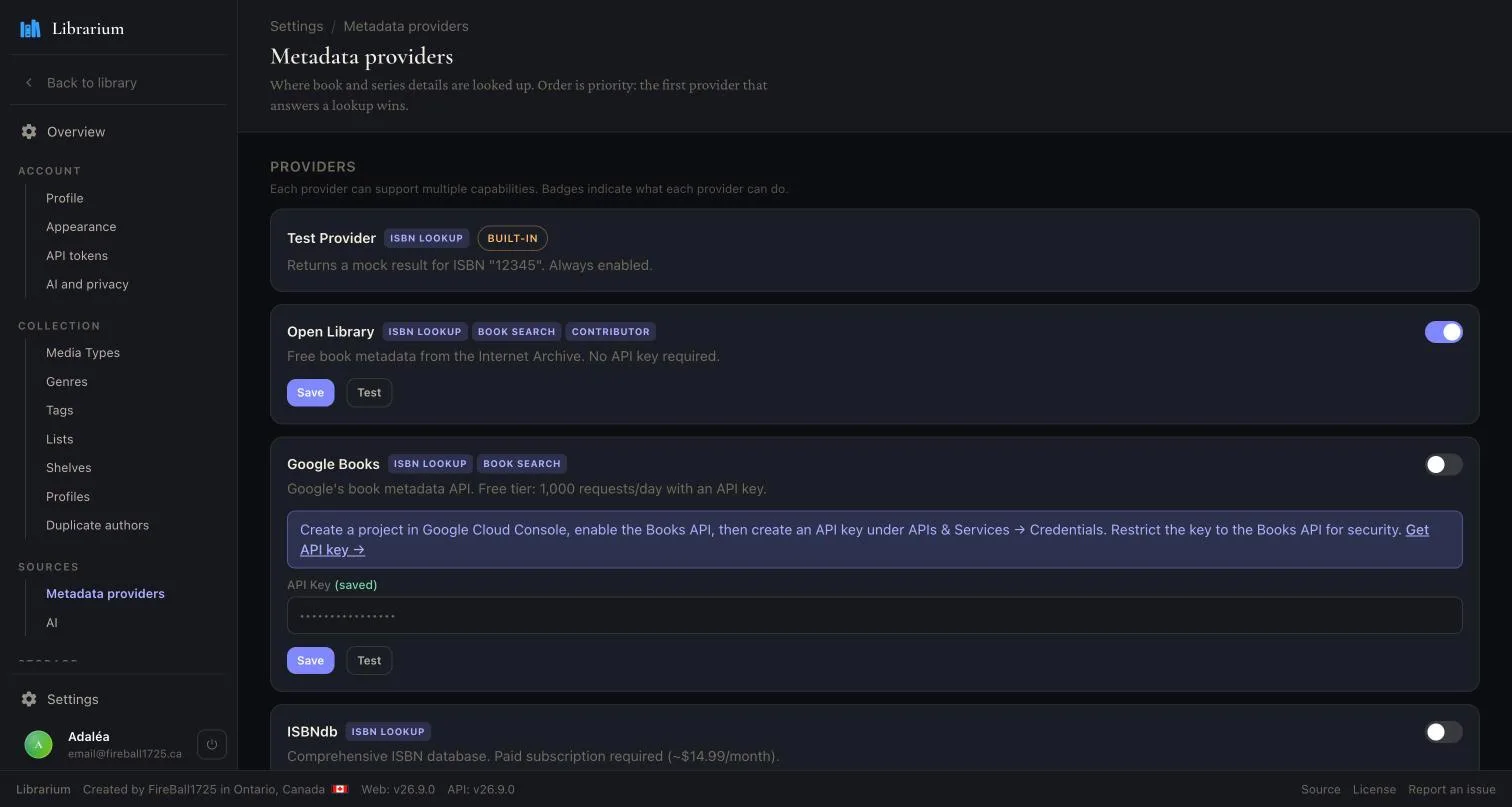
Metadata providers in priority order, each toggled on or off with its own API key

Your sources, your order

Providers are tried in priority order, and any of them can be switched off.

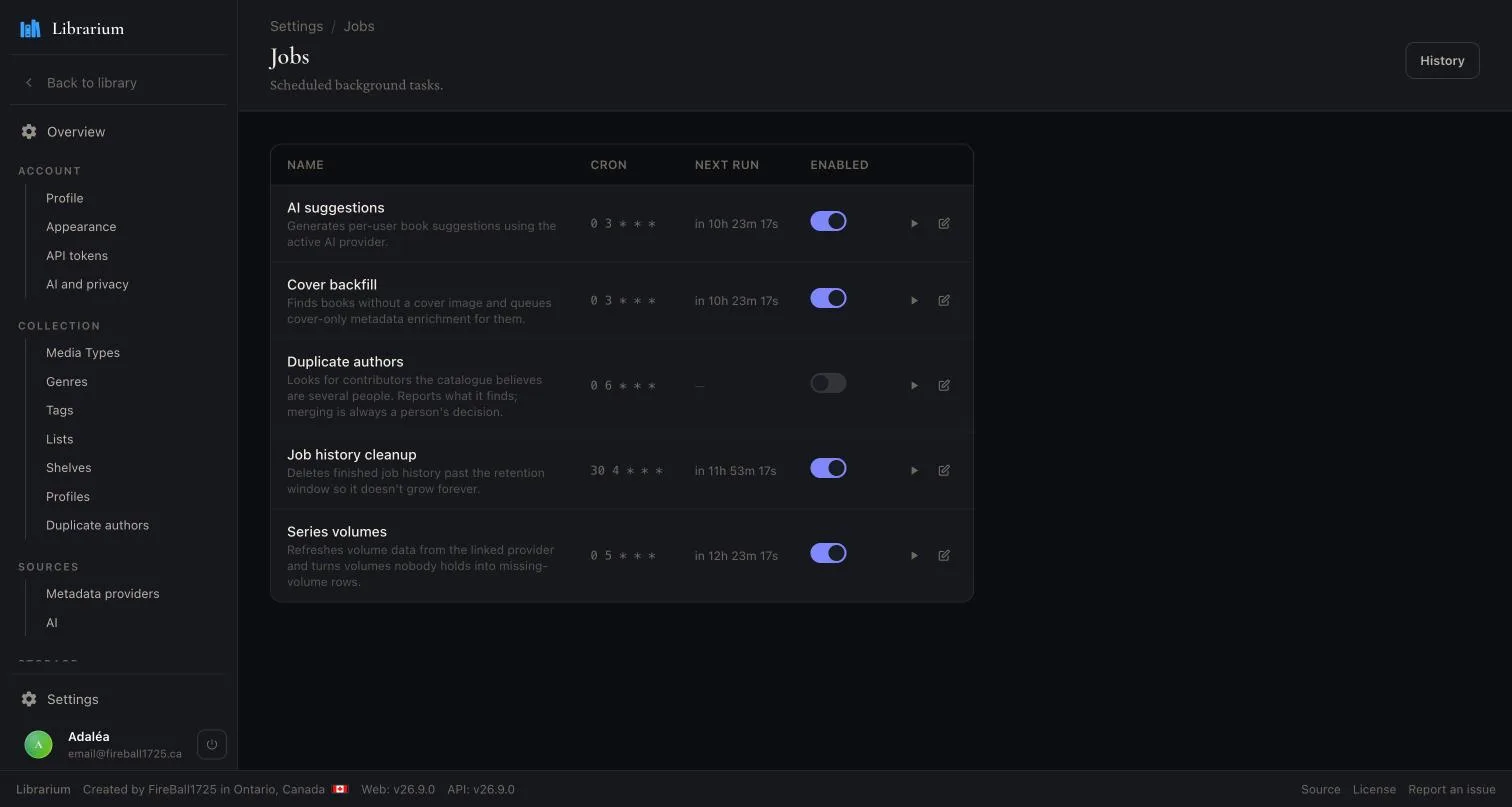
Background jobs on a cron schedule, with the next run time and a switch for each

Work that runs itself

Cover backfills, metadata refreshes and AI runs, on a cron you control.

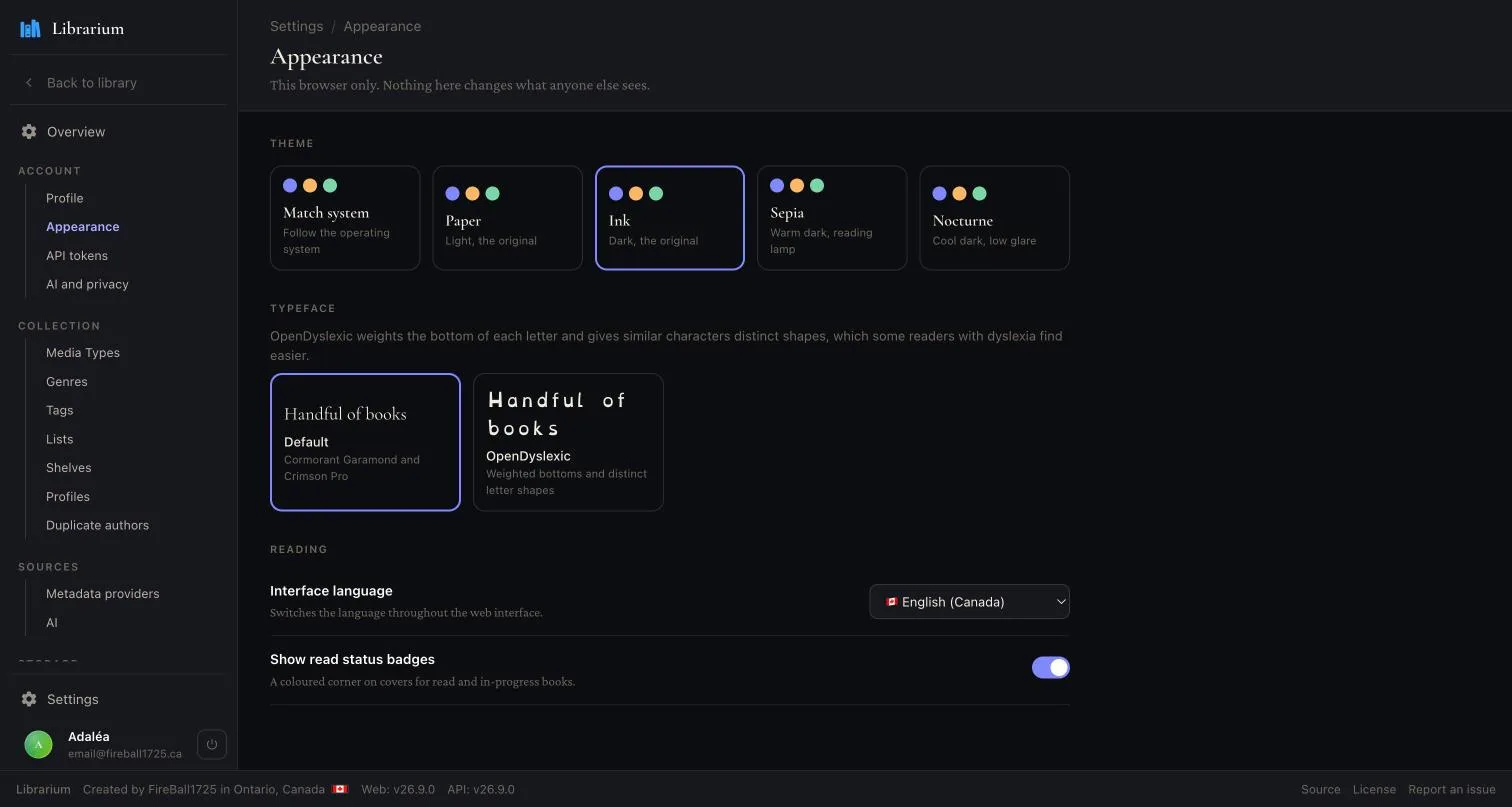
Appearance settings with five themes, an OpenDyslexic typeface option and interface language

Five themes

Plus an OpenDyslexic typeface, and the interface in your own language.

iOS

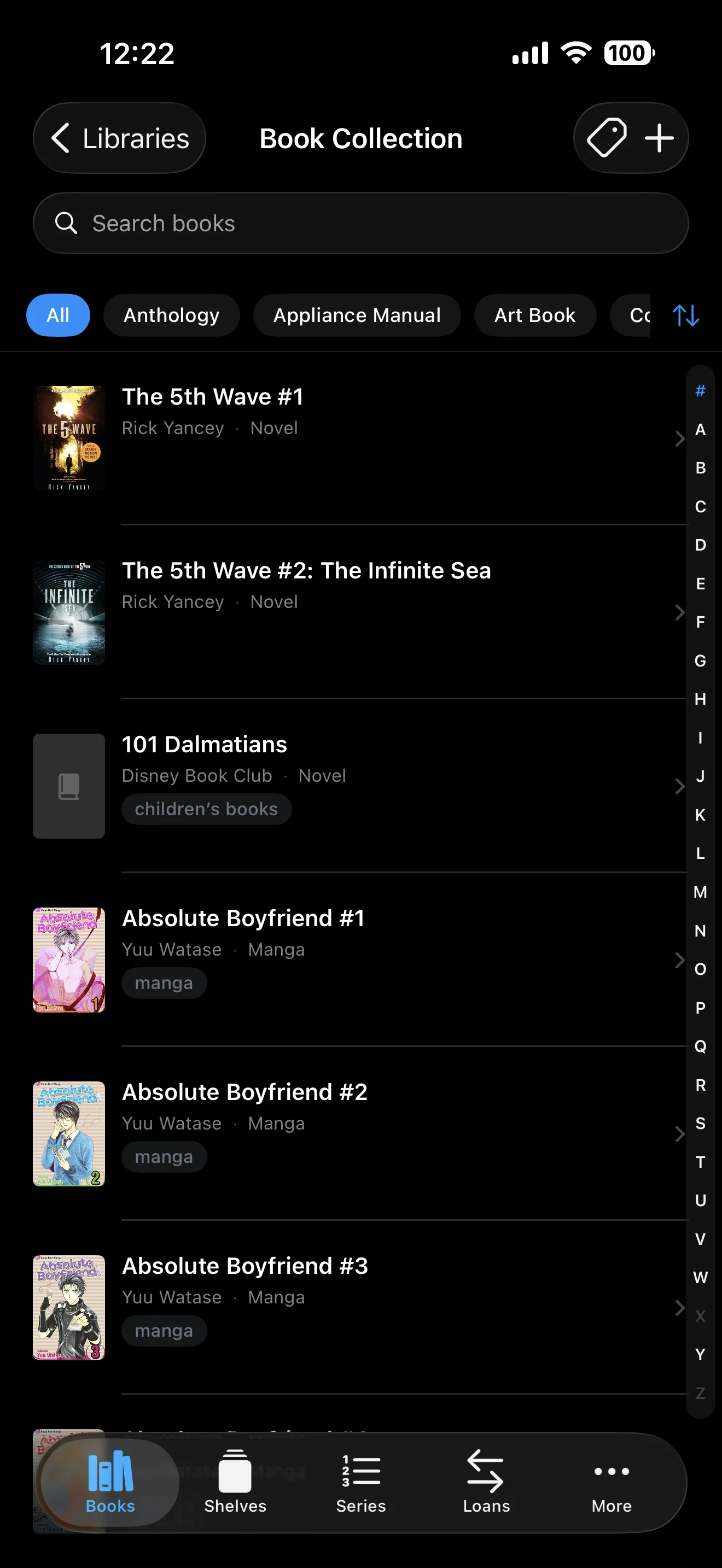
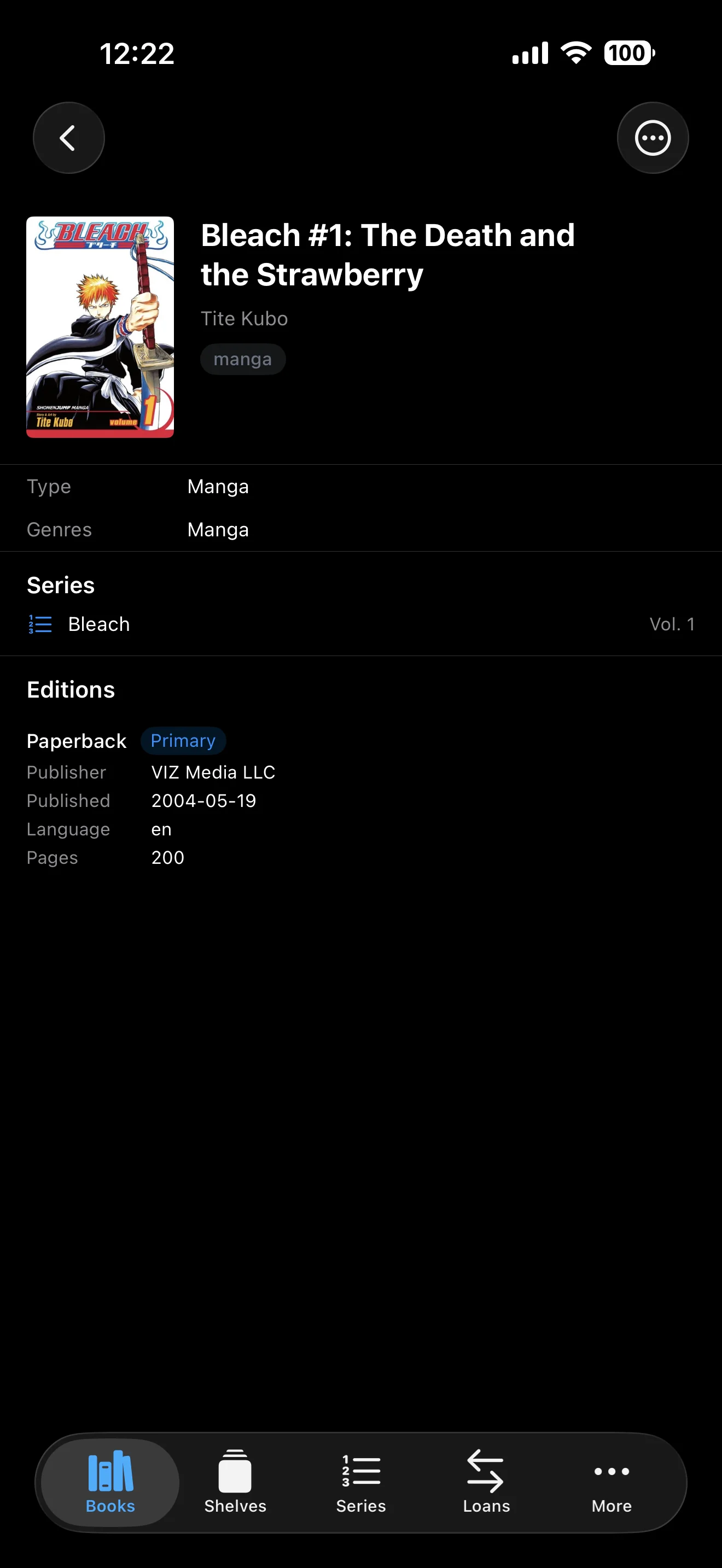
Scan at the bookstore. One tap to see if you already own it, or add it to any library if you don't.

iOS library catalogue
iOS book details

Roadmap

What's next.

Where each initiative sits in the pipeline. Solo project, so these are intentions not promises. Items move between columns as priorities shift.

Shipping next

  • Lite mode for iOS
  • iOS app redesign
  • Sync protocol (per-field timestamps, delta API)
  • App Store launch

On deck

  • CSV import (Goodreads, StoryGraph, Libib)
  • One-click cloud deploy templates
  • Bookstore links
  • Opt-in telemetry SDK
  • Series rework
  • Move books between libraries, in bulk
  • Higher-resolution covers

Exploring

  • Pre-ISBN and vintage collections
  • Member reviews on book pages
  • One list of every book across libraries
  • Edit metadata from the refresh panel
  • Shared reading feed (household scope)
  • iPad and Mac apps
  • AI metadata enrichment
  • Library invite links
  • Bulk select on books grid

Three repos, one product.

API-first: every client consumes the same OpenAPI contract. Each piece ships independently on a YY.M.R cadence.

Plus: chat with your library.

Optional companion service. Speak MCP to Claude Desktop, Cursor, Claude Code, or any MCP-aware client and let it search, read, add, and rate books on your behalf. Runs alongside your existing stack, authenticates with a regular API token, writes are gated by per-call approval in the client.